
the cabin game Photo Sensitivity & Safe Play
The Cabin Game contains strobing and flashing lights — here's how to read the warning and lower the risk for your session.
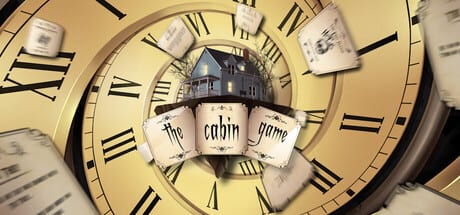
The Steam store page for the cabin game opens with an explicit photosensitivity warning: the Early Access build contains strobing and flashing lights that could cause a small percentage of people to experience seizures when exposed to certain lights, patterns, or images. This is not a generic boilerplate line. Twisted Corridor called it out because Event Card sequences, monster reveal moments, and the clock-strike transitions in the cabin game all use rapid lighting changes that sit inside the same risk band that triggers advisories on other horror and rhythm games.
This page is for players who want to know exactly what they are walking into before they sit at the round table, and for parents and co-op hosts who need to decide whether the cabin game is safe to launch for the people on their couch or in their Steam friends list. It is grounded in the Steam store warning, the in-game accessibility toggle, and what we have observed in Early Access sessions through the end of August 2026.
What the Steam warning actually covers
The store page warning cites strobing and flashing lights as the trigger. In the cabin game specifically, the highest-risk moments we have observed in Early Access are:
- Event Card sequences — many of the 3D encounter minigames use quick lighting transitions, especially when the entity that represents the Event steps into view or when an interactive object pulses to indicate a state change.
- Monster reveal animations — the Attic Stalker, the giant Monkey, the Neighbour, the Gaunt, the Knight, and the Visitor all have a brief visible flicker the first time they spawn at the table or break through a wall. The flicker is short — usually under a second — but it is dense.
- The clock strike at midnight — the round table clock on the cabin game uses a quick red flash on the hour and a sharper strobe at the 12-to-1 transition. If you are sensitive, the build-up to midnight is the moment to look away.
- Candle and lamp lighting in rooms — placed Room Cards add candle or lamp props that flicker in real time. They are softer than the strobing, but sustained flicker is itself a known trigger.
The risk is not constant. Most of the time the cabin game plays with calm moody lighting. The risk concentrates in Event Card minigames and the final-hour build to the escape.
Who should be careful
Photo-sensitive epilepsy affects roughly 1 in 4,000 people. The cabin game warning is conservative — it uses the phrasing “a small percentage of people” rather than naming an exact population. The known risk groups include anyone with a diagnosed photosensitive seizure disorder, anyone with a family history of epilepsy, and anyone who has ever had an unexplained loss of consciousness while watching a screen with rapid lighting changes.
The cabin game also carries a separate Mature Content warning for occasional blood and gore. The strobing and the blood-and-gore tags are independent ratings; either one alone may be enough reason for a parent or host to choose a different game for a younger or sensitive player.
In-game settings that lower the risk
The cabin game settings menu exposes the same controls covered in Settings on this wiki, but the two that matter most for photosensitivity are:
- Clock audio + clock visual intensity — the table clock is the most consistent source of quick transitions. Lowering its visual intensity cuts the per-hour pulse. You can also mute clock audio so the on-screen transitions are your only cue.
- Graphics quality presets — lower presets turn off several post-processing passes that contribute to the Event Card flash. The performance gain is incidental; the accessibility gain is the point.
There is no dedicated photosensitivity mode in Early Access as of the First Round Patch. The closest substitute is to lower clock visual intensity, set graphics to Low, and avoid playing solo in a dark room.
Practical session tips
If you or a co-op partner is photosensitive, the following routine lowers risk without losing access to the game:
- Play in a lit room. Ambient room light reduces the relative brightness of the on-screen strobe.
- Sit further from the screen than usual. The cabin game is first-person; a 1.5× to 2× viewing distance cushions the perception of rapid changes.
- Take the host’s seat if you can. The host’s view of the round table is more stable than the chasing view of an Event Card minigame. The trade-off is that you take on coordination duty — see Host & Join.
- Skip Event Cards when possible. The Cards Hub ranks Event Cards below Investigation Cards for both safety and progress; skipping them is good play even before you factor in accessibility.
- Look away during the clock strike. The 11-to-12 transition is the most consistent strobe in the game. A two-second glance away is enough.
If a co-op partner has a seizure history, agree on a stop word before the run starts. The cabin game allows the host to pause at any time between turns. Pausing freezes the table, the clock, and any active Event, which buys you the time you need without ending the session.
When to skip the game entirely
If you or someone in your household has an active seizure disorder, the honest answer is that this Early Access horror card game is not a safe default. The store warning exists for a reason. Consider a calmer co-op alternative until Twisted Corridor ships a dedicated photosensitivity preset. Until then, treat the warning as binding and skip the cabin game in favour of titles that ship with a verified safe-mode toggle.
For a deeper look at every graphics and audio setting that affects the play experience, see Settings. For the technical specs that drive the strobe behaviour on specific hardware, see System Requirements.
Frequently Asked Questions
Quick answers about cards, clues, monsters, and escaping the cabin.
Does The Cabin Game have a photosensitivity warning on Steam?
Yes. The Steam store page opens with an explicit strobing and flashing lights warning. The cabin game Early Access build uses rapid lighting changes during Event Card sequences, monster reveals, and the clock strike at midnight.
Can I disable the strobing in The Cabin Game?
There is no dedicated photosensitivity mode in Early Access. You can lower clock visual intensity, set graphics to Low, mute clock audio, and play in a lit room to reduce the impact. None of these fully disable the strobing.
Which moments in The Cabin Game are the worst for photosensitive players?
Event Card minigames, monster reveal animations (the Attic Stalker, the Neighbour, the Monkey, the Gaunt, the Knight, and the Visitor), the midnight clock strike, and candle flicker in placed rooms are the highest-risk moments. Most of the rest of the cabin game plays with calmer lighting.
Is The Cabin Game safe for kids?
The cabin game ships with both a strobing-lights warning and a blood-and-gore tag. Parents and hosts should treat either warning as binding. There is no kid-safe preset in Early Access as of the First Round Patch.
Will The Cabin Game add a photosensitivity mode in a future patch?
Twisted Corridor has not announced a dedicated photosensitivity preset in Early Access. The Optimization Update and First Round Patch addressed performance and crashes, not accessibility. Watch the Updates Hub for any new accessibility options in future patches.
Can I pause The Cabin Game during an Event Card?
The host can pause between turns, which freezes the table and any active Event. Pausing does not skip a flash that is already mid-frame, but it stops new ones from starting. Agree on a stop word with co-op partners before the run if anyone has a seizure history.