
Fix the Cabin Game on PC
Verified Steam fixes for crashes, black screen, low FPS, version mismatches, and the false failed-to-join error after Early Access patches.
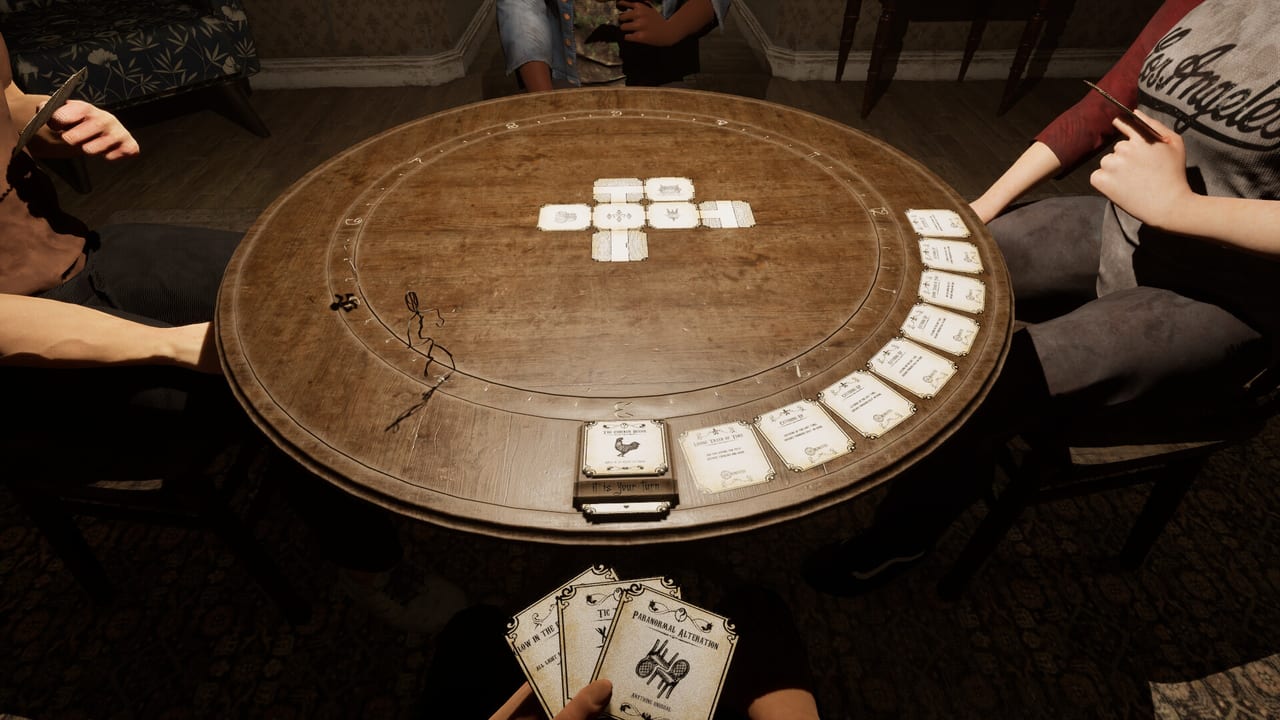
the cabin game entered Steam Early Access on 27 August 2026 as a 1–4 player horror title from Twisted Corridor. Early Access titles ship with rough edges, and the cabin game is no exception: launch errors, mid-run crashes, frame-time spikes during chases, and the false failed-to-join message are all in the current bug list. This page collects the fixes that actually work on Steam Windows, sourced from the Optimization Update, patch notes, and standard Steam troubleshooting steps that Twisted Corridor has not overridden.
If your game will not start at all, work the list top to bottom. Most cabin game launch problems on Early Access are fixed by a clean Steam update, a driver refresh, and the verification pass. If the run dies in the middle, jump to the mid-run crash section. If a friend cannot start their turn, jump to hosting and join codes. The settings that prevent most of these problems live on settings and performance.
Before you change anything
Back up your local saves before you touch anything else. On Windows the cabin game keeps cloud-saved progress under your Steam userdata folder, but local configurations and shader caches live in %APPDATA% and %USERPROFILE%\Documents\My Games\. Steam Cloud re-syncs once you launch the game again. Knowing where your saves sit is what stops you from wiping a campaign while you fix a launch error.
Two more preflight checks:
- Confirm you bought the game on the same Steam account you are launching from. Family-shared copies launch in a small subset of modes and that itself can fail to start on the first try.
- Confirm Steam is fully updated. The Optimization Update (30 August 2026) added a version-mismatch check, so an out-of-date Steam client can refuse to even queue the patch.
The fixes below assume a Windows 10 or Windows 11 64-bit install. Linux and Steam Deck verified support has not been claimed by Twisted Corridor. Mac and console ports are not on the roadmap.
Game will not launch on Steam
1. Update the game through Steam
Right-click the cabin game in your Library → Properties → Updates. Make sure automatic updates are on, then force a download by selecting the game and choosing Update. If Steam thinks you are already current, restart the Steam client. The First Round Patch and the 2nd wave of bug fixes (28 and 29 August 2026) shipped only via this path. Players on the opening-day build still see crashes that the patch notes already list as fixed.
2. Verify integrity of game files
Right-click the cabin game → Properties → Installed Files → Verify integrity of game files. Steam re-downloads anything missing or corrupted. A failed verify is the most common cause of the cabin game refusing to boot on an unchanged install. The Optimization Update’s version-mismatch check means a partially verified install now fails the lobby handshake, so a partial download is no longer benign.
3. Update your GPU drivers
Download the latest driver from your GPU vendor (NVIDIA GeForce Experience, AMD Adrenalin, or Intel Arc). The cabin game uses DirectX 11 as the minimum spec and DirectX 12 as the recommended spec, so an outdated driver is a frequent cause of black screen on launch and DirectX error pop-ups. After updating, restart the PC, not just Steam.
4. Disable overlay apps that inject into the game
Discord overlay, GeForce Experience overlay, MSI Afterburner, and RivaTuner Statistics Server all hook into game rendering. Turn each off before you launch the cabin game. Overlay hooks are the most common cause of black screen on launch and of mid-run frame-time spikes that look like the game is crashing but are really a render-pipeline reset.
5. Run as administrator and clear shader cache
Right-click the cabin game.exe → Properties → Compatibility → Run this program as an administrator. Then clear your GPU shader cache: NVIDIA users can clear it from the NVIDIA Control Panel → Manage 3D Settings → Restore Defaults. AMD users can use AMD Cleanup Utility for a clean driver pass. Stale shader caches are a known cause of mid-run stutter on the first launch of a new build.
6. Set the launch options the right way
Right-click the cabin game → Properties → General → Launch Options. Safe options to try when the game refuses to start:
-windowed— force windowed mode if fullscreen breaks on your monitor.-dx11— force DirectX 11 if DirectX 12 misbehaves on your driver.-novr— disable any Steam VR hook if VR is not the goal.
Avoid community +exec strings you cannot trace. The cabin game has no console, and unknown launch options can freeze the first frame.
7. Reinstall as a last resort
If nothing above boots the game, uninstall through Steam and reinstall. Saves live in the cloud and in %USERPROFILE%\Documents\My Games\; the cloud copy re-syncs at next launch, but back it up first. A clean install clears corrupted shader caches, broken redistributables, and partial updates that verification alone will not repair.
Black screen on launch
A black screen with audio still playing is almost always one of three causes: fullscreen broken on your monitor, an HDR conflict in Windows Display Settings, or a corrupted config file in %APPDATA%.
- Press Alt+Enter to toggle fullscreen and windowed mode. The cabin game responds to this hotkey even on a black screen.
- Add
-windowedto the launch options (see above) and relaunch. - Disable HDR in Windows Settings → System → Display → HDR while you boot the game. Re-enable it after the cabin reaches the main menu.
- Delete the user config file in
%APPDATA%\the cabin game\(or the equivalent path on your install). The cabin game regenerates a default config at next start.
If the menu music plays but the cabin art never loads, the cause is the config or HDR — not the Steam install.
Low FPS and stuttering
The Optimization Update (30 August 2026) was described by Twisted Corridor as “mostly about pushing some big changes for optimization.” It is the current baseline. On top of that pass, the player consensus from Steam reviews, Discord, and YouTube clips is:
- Drop graphics preset to Low.
- Turn VSync off in the game settings. The First Round Patch added a separate max-FPS value that now applies, so cap FPS to a number your GPU can hold instead of relying on VSync.
- Set shadows to medium and volumetric effects to low or off. The cabin’s lamp-lit hallways tax volumetric rendering more than most Early Access horror titles.
- Close background browser tabs, Discord streams, and OBS previews. The cabin game is sensitive to background CPU.
- If CPU or GPU temperatures exceed 85°C, thermal throttle is the real cause, not the game.
Recommended graphics values for the current Early Access build are on settings and performance. The full system requirements are on system specs.
Mid-run crashes: Neighbour, darkness, and frame spikes
The Neighbour event is the most-reported mid-run crash. Twisted Corridor has not shipped a fix in the patch notes for that specific crash as of 30 August 2026; instead, the workaround is on the player side: lower the graphics preset before you enter a known-unstable lobby, and reduce audio compression in the Windows sound settings if you have changed it from defaults. Report the crash with your seed, build number, and driver version in-game or on the official Discord so the studio can match it to a fix in the 3rd round of bug fixes promised by the 2nd wave.
Frame spikes during the giant-monkey chase and the attic-stalker chase are usually thermal-throttle or background-CPU related. The First Round Patch fixed monkey collision (it was blocking narrow hallways) and made the attic stalker more forgiving, so the chases themselves are more stable, but a frame spike under those chases still feels like a crash. Try the Low preset first, then a cap on background apps.
If the game drops to a black screen mid-run, alt-tab once and alt-tab back. If that does not recover, kill the process through Task Manager. Saves are auto-written at the end of each full turn, so you usually resume at the start of the next round.
Controller not detected
Steam has its own controller layer that often overrides in-game detection. Steam → Settings → Controller → enable Steam Input for your controller type (Xbox, PlayStation, or generic gamepad). For PS5 DualSense, prefer a wired USB connection on the first launch; Bluetooth sometimes misbehaves with the cabin game’s input map.
Disable third-party controller remappers (DS4Windows, reWASD, JoyShockMapper) before launching. Two input layers fighting over the same device is a common cause of input dropouts during chases.
If your gamepad still does not respond after these steps, post the controller name, firmware version, and Steam Input log to the official Discord. Twisted Corridor reads those reports.
False failed-to-join error
A friend tells you the join code failed, but you can see them in the Steam overlay as already in the lobby. The Optimization Update (30 August 2026) added a fix for this exact message, but if it still appears, the cause is almost always one of:
- The host has a private lobby and has not accepted your invite.
- You and the host are on different Steam branches (public versus playtest). Verify game files on both sides.
- One of you has not restarted Steam since the latest patch. Mixed Steam clients can fail the handshake even when game builds match.
Full join-code steps are on hosting and join codes.
DirectX and Vulkan error pop-ups
If the cabin game throws a DirectX error on launch:
- Add
-dx11to the launch options (see above) to bypass a DirectX 12 fault. - Update DirectX from Microsoft’s official installer. Do not install DirectX from third-party sites.
- If you have an AMD GPU, use AMD Cleanup Utility followed by a clean driver install via DDU (Display Driver Uninstaller). This is the supported way to recover from a corrupted DirectX runtime on AMD.
The cabin game does not officially use Vulkan as a render path. A Vulkan error means a third-party tool is intercepting the API. Disable MSI Afterburner, RivaTuner, and any Vulkan runtime you installed for a different game.
Photosensitivity and strobing
The cabin game includes strobing and flashing that can trigger seizures for a small percentage of people. The Steam page lists the warning. There is no hidden in-game toggle to disable all strobes in the current build. If strobing affects you or someone at the table, lower brightness in Windows Display Settings, run the game in windowed mode at a smaller resolution, and read the accessibility notes on the controls page before you start a session.
Save file locations
Knowing where the cabin game keeps its files lets you back up before you reinstall and lets you reset a corrupted profile without losing your Steam Cloud progress.
- Steam Cloud:
C:\Program Files (x86)\Steam\userdata\[USER_ID]\4406280\(replace USER_ID with your SteamID3). - Local config:
%APPDATA%\the cabin game\ - Local saves (when Steam Cloud is off):
%USERPROFILE%\Documents\My Games\the cabin game\
The 4406280 folder under userdata is the canonical Steam app folder for this title. Steam Cloud re-syncs at next launch if you copy the folder back into place.
When the wiki will not help
Some problems are not on this page. Twisted Corridor has not shipped:
- An in-game tutorial. The 2nd wave promised more tips, but a real tutorial is still being conceptualized.
- A fix for the Neighbour crash in every build.
- A way to roll back to an earlier build. Once you accept an update, Steam does not let you revert without a manual archive.
For these, the right next step is the official Discord or the in-game feedback tool. The links page lists both.
A short pre-flight checklist
Before you blame the game, walk this list:
- Steam is updated and the game is on the latest build.
- GPU drivers are fresh from the vendor’s site.
- Verify integrity of game files returns no errors.
- Overlay apps (Discord, GeForce Experience, MSI Afterburner, RivaTuner) are off.
- Steam Input is enabled for your controller if you use one.
- You are launching on the same Steam account you bought the cabin game on.
- Your PC meets the system requirements.
- Settings is at Low graphics, VSync off, max FPS capped.
If all eight pass and the cabin game still refuses to start, post the crash dump and driver version to the official Discord with the build number printed on the main menu. Twisted Corridor reads those reports, and the 3rd round of bug fixes promised by the 2nd wave will be scoped from what players actually file.
Frequently Asked Questions
Quick answers about cards, clues, monsters, and escaping the cabin.
Why does the cabin game keep crashing on launch?
Most launch crashes on Steam are fixed by updating through Steam, verifying integrity of game files, and refreshing your GPU drivers. The Optimization Update on 30 August 2026 added a version-mismatch check that fails the lobby handshake on a partial download, so an outdated install is no longer benign.
How do I fix low FPS in the cabin game?
Drop the graphics preset to Low, turn VSync off, cap max FPS to a number your GPU can hold (the First Round Patch made the cap actually apply), and close background apps. Shadows on medium and volumetric effects on low or off is the player-consensus baseline for the current build. Full graphics values are on settings and performance.
Why does the Neighbour event crash the game?
The Neighbour event drops darkness plus a screen-shake and is the most-reported mid-run crash. Twisted Corridor has not shipped a fix in the current patch notes. Lower graphics before a known-unstable lobby, report the crash with your seed and build number in-game or on Discord, and check patch notes for the 3rd round promised by the 2nd wave.
What do I do if a friend cannot start their turn?
Verify game files on both sides. The Optimization Update added a version-mismatch check so mixed builds cannot sit together. If the join code claims it failed but the friend is already in the lobby, that is the false failed-to-join fix from the Optimization Update. Full steps are on hosting and join codes.
How do I roll back to an older build of the cabin game?
You cannot through Steam. Once you accept an update, there is no official rollback. The studio has not promised one. If the current build is worse for you, file it on Discord; the 3rd round of bug fixes promised by the 2nd wave will be scoped from player reports.
Is the cabin game crashing because of my PC?
Check the system requirements page first. The minimum spec is a GTX 970 with DirectX 11, and the recommended spec is a GTX 3060 with DirectX 12. If you are under spec, Low graphics and VSync off is the experiment, not a miracle. If you are at or above spec, the cause is almost always an outdated driver, an overlay hook, or a partial Steam download.